

10400mAh Router UPS — 10400mAh Router UPS solutions can make a big difference when power interruptions disrupt home broadband or a small office connection. The Skyview SV-1040DCM is a compact DC backup device advertised with a 10400mAh battery and intended for compatible routers, ONUs and selected CCTV equipment. Choosing a unit is only half the task; installing it correctly is equally important. These five practical setup tips explain how to check compatibility, plan your connections and evaluate performance without relying on unrealistic backup-time promises.
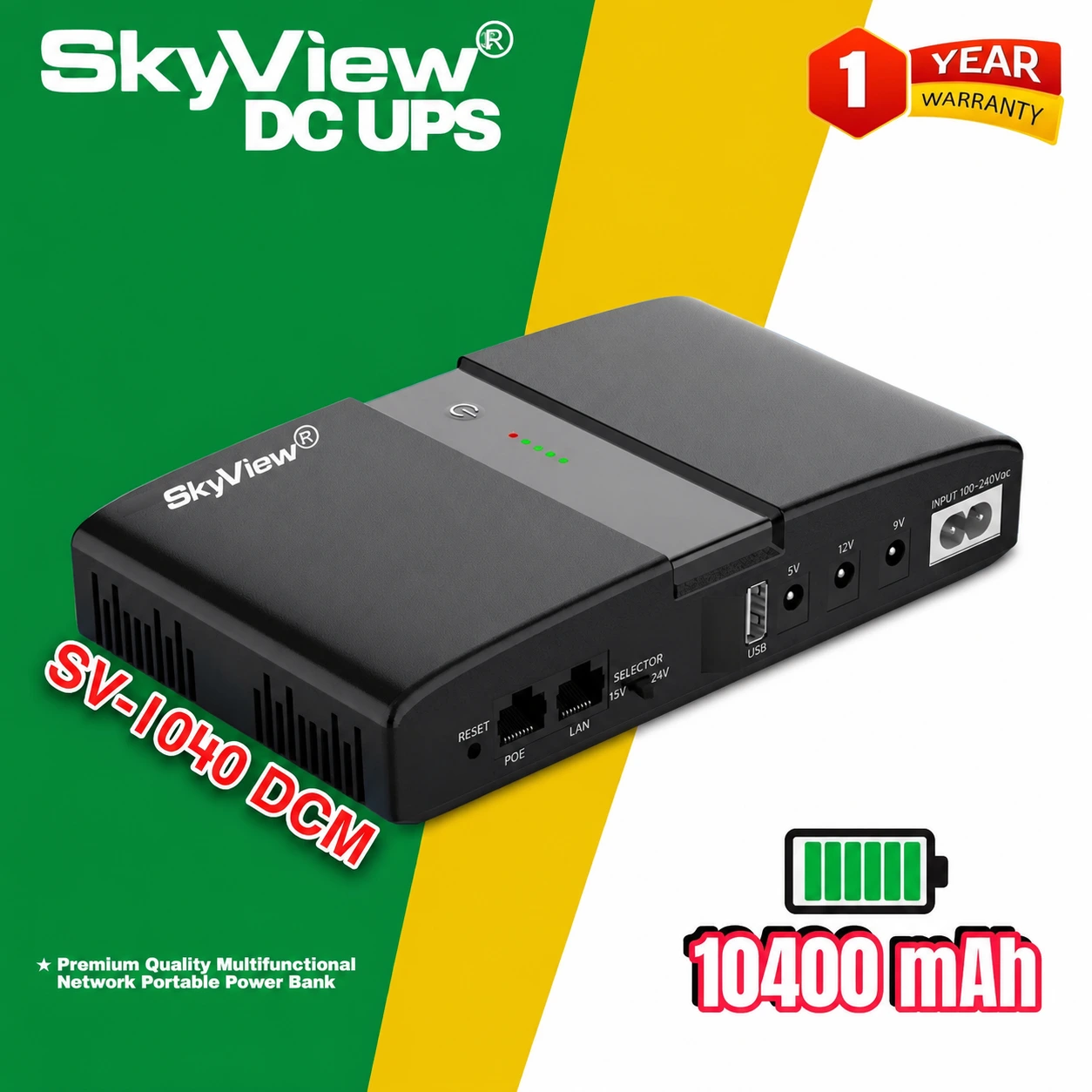
10400mAh Router UPS: Check Device Ratings First
Before connecting anything, locate the original power adapter for your router and read its output label. Repeat the process for the ONU, if your broadband connection uses one. Write down the voltage, current and connector details for each device. A 10400mAh battery rating does not tell you which output voltage the UPS supports. Confirm the Skyview SV-1040DCM’s actual ports and supported load with the seller. An incorrect output or reversed connector polarity may damage networking equipment.
Tip 1: Plan the Router and ONU Together
The router provides your local Wi-Fi or wired network, while an ONU may be needed to connect that network to a fibre service. Keeping only one device powered can leave you with a wireless signal but no working internet. Map the route from the provider’s incoming connection to the devices in your home. Identify which items must remain on for a successful connection. Then confirm whether the chosen backup configuration supports the required devices simultaneously without exceeding its ratings.
Tip 2: Choose a Safe and Tidy Position
Place the DC UPS close enough to the networking equipment that cables do not need to be stretched or pulled around furniture. A stable shelf or dry desk is preferable to a damp floor. Leave ventilation space and avoid direct sunlight or excessive heat. Keep the unit away from water and combustible clutter. Arrange cables so they cannot be tripped over or accidentally disconnected. These simple decisions make routine inspection easier and reduce avoidable installation problems.
Tip 3: Follow the Supplied Charging Instructions
Do not assume every mini UPS uses the same charging method or indicator lights. Check the instructions supplied with the actual Skyview SV-1040DCM unit and use only the recommended input power arrangement. Allow the battery to charge according to the manufacturer’s guidance before judging backup performance. Avoid unapproved chargers, damaged cables and improvised wiring. If you are uncertain about an indicator or a connector, ask a qualified technician to explain it before connecting expensive network equipment.
Tip 4: Test the Backup with Real Equipment
After confirming compatibility and completing the recommended setup, perform a controlled test with the actual router and ONU. Observe whether both remain powered when the normal supply is removed according to the device instructions. Check whether the internet connection continues, rather than looking only at illuminated LEDs. Note any unexpected restarts or warnings. Do not deliberately short terminals or open the battery enclosure. A short, careful functional test is more useful than guessing performance from the capacity number.
Tip 5: Understand Runtime and Total Load
The phrase 10400mAh Router UPS describes a battery capacity class, not a promise that every setup runs for a fixed number of hours. Runtime depends on the equipment’s power demand, conversion losses, battery health and environmental conditions. Adding a camera or another device can shorten the available backup time. Record what you actually connect and discuss realistic expectations with Computer Clinic. For a business-critical connection, consider whether additional network infrastructure also needs its own backup.
What to Do if the Internet Still Drops
If your Wi-Fi stays visible but browsing stops, first check whether the ONU remains powered and whether the provider has an upstream outage. If the router restarts, review its power requirement and the backup connection. If a plug feels loose or unusually hot, disconnect the setup safely and seek assistance. Never modify a connector without verifying polarity and ratings. You can learn the general difference between a UPS and other power solutions from an external reference, but rely on the actual device instructions for installation.
10400mAh Router UPS: Frequently Asked Questions
Does 10400mAh mean a specific number of backup hours?
No. Battery capacity alone cannot establish runtime without knowing device consumption and conversion efficiency.
Can one unit support a router and ONU?
Possibly, if the unit’s output configuration and combined load are compatible; verify both devices first.
Is the Skyview model only for home use?
Its listed uses include homes, offices and shops with compatible low-voltage DC equipment.
Explore 10400mAh Router UPS at Computer Clinic
A successful 10400mAh Router UPS setup is about compatibility, sensible placement and real testing. Skyview SV-1040DCM is worth evaluating for your networking requirements, but confirm output details and warranty information before purchasing. Visit the Skyview DC UPS SV-1040DCM product page for current price, availability and ordering information. For general background, see how an uninterruptible power supply works.
Related reading: CCTV Backup Power: 6 Smart Protection Tips and Skyview DC UPS SV-1040DCM: 7 Smart Router Benefits.
Need help choosing compatible backup power? Call 01612847384 or visit Computer Clinic, Cox’s Bazar — Shop Skyview SV-1040DCM.